
PROTECT YOUR KIDS’ ONLINE REPUTATION & IDENTITY
Protect Your Kids Identity Online
Protect your digital identity and information – your digital identity is like your fingerprint or DNA. You must always be thinking about protecting yourself. Think about the information that is being requested and collected from you. Also, think about who is collecting this information and where it is being stored.
Use Strong Passwords – Protect your password and remember to use a robust password that is exclusive to every individual and website. If possible, do not write down your password or share with others you do not trust. Many electronic and online tools exist to help you manage and store your passwords.
Do not post anonymously – avoid smartphone apps and websites that allow anonymous postings. Devices should be in plain view and public areas. They should not be in the bedrooms. With youth, it is important to discuss and set limits and boundaries on acceptable device use. It is also important to monitor social media websites.
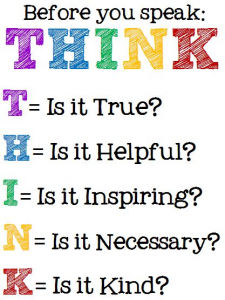
Social etiquette – simple put…think before you post. Consider both yourself and others before you post. If you are unsure of your potential post – hold back from posting. Wait 24 hours and reassess. If you would not say it in a public setting, do not post it online. Think about the lasting consequences around posting offensive comments, photographs and shared locations on social media.
Student safety – device theft, robbery and other violent crimes within and outside the school is growing concern. Not only does this place the student at a higher risk, but school districts also run the possibility of having a shortfall of devices allocated for learning.
Students must learn and practice theft prevention techniques that include (1) password protect the device (2) keeping their device out of sight when in public – do not advertise you have an expensive smartphone or tablet (3) if ever confronted by thieves wanting to steal their device, give it up immediately and run the other way (4) when authorized or applicable, enable device location features (5) do not leave your device unattended, especially in public locations.
Things to Think About
Now:
Would I say this in real life?
Am I hurting anyone else by posting this?
Will I regret this later?
Have I reviewed all the pictures carefully?
It is necessary to share this with ‘the world?’
Would my parents, coaches and or teachers approve of this post?
And in the future:
Could this post have any negative effect on me pursuing future employment?
If I have a family, would I want my children seeing this?
Could what I am posting bring legal ramifications against me later?
Would my chosen College or University still consider my application after seeing this post; would their team coach?
CONSIDER ALL POSTS TO BE PERMANENT!
DIGITAL CITIZENSHIP

- Digital Access – Full electronic participation in society
Digital access is an important concept of digital citizenship. Digital access pertains to the fair accessibility to technology as well as the ability to use it to enhance the learning process for all involved. Digital access is an equitable opportunity for the same education for every student via the use of technology.
- Digital Commerce – Electronic buying and selling of goods
Digital commerce is the buying and selling of goods and services using the Internet, mobile networks and commerce infrastructure.
This includes both legal and illegal forms of commerce and buyers need to be aware of the risks of making online purchases.
- Digital Communication – Electronic exchange of information
In today’s society, everyone has the opportunity to communicate and collaborate with anyone from anywhere and anytime. Unfortunately, many users make poor decisions when faced with so many different and constant digital communication options. Concerns include texting and driving, device addition, cyberbullying, etc.
- Digital Literacy – the process of teaching and learning about the use of technology
Digital literacy refers to how a person utilizes technology to interact with the world around them.
- Digital Etiquette – electronic standards of conduct or procedure
Digital etiquette is based on a set of rules to make the internet better for you and others. Digital etiquette is about treating people with respect and courtesy and respect online.
- Digital Law – electronic responsibility for actions and deeds
Digital Law is the electronic responsibility for deeds and actions either ethical or unethical. The digital law refers to the ethics within technology. Unethical use of technology exhibits itself in the form of theft and crime.
- Digital Rights and Responsibilities – those freedoms extended to everyone in a digital world
The definition of digital rights and responsibilities has the right and freedom to use all types of digital technology while using technology acceptably and appropriately. Users also have the right to privacy and the freedom of personal expression.
- Digital Health and Wellness – physical and psychological well-being in a digital technology world
Digital Health and Wellness concentrates on the use of technology safely and appropriately. In today’s technological world, our children are becoming dependent on the use of the internet. It is becoming necessary to inform them about the dangers involved with frequent internet use.
- Digital Security – electronic precautions to guarantee safety and self-protection.
Digital security focuses on teaching our children and students strategies to stay safe in the digital world.